

Know a delivery failed before your customer calls.
Ortake keeps every report from your WMS, carriers and drivers on one record per order, and gives the one that went wrong an owner.
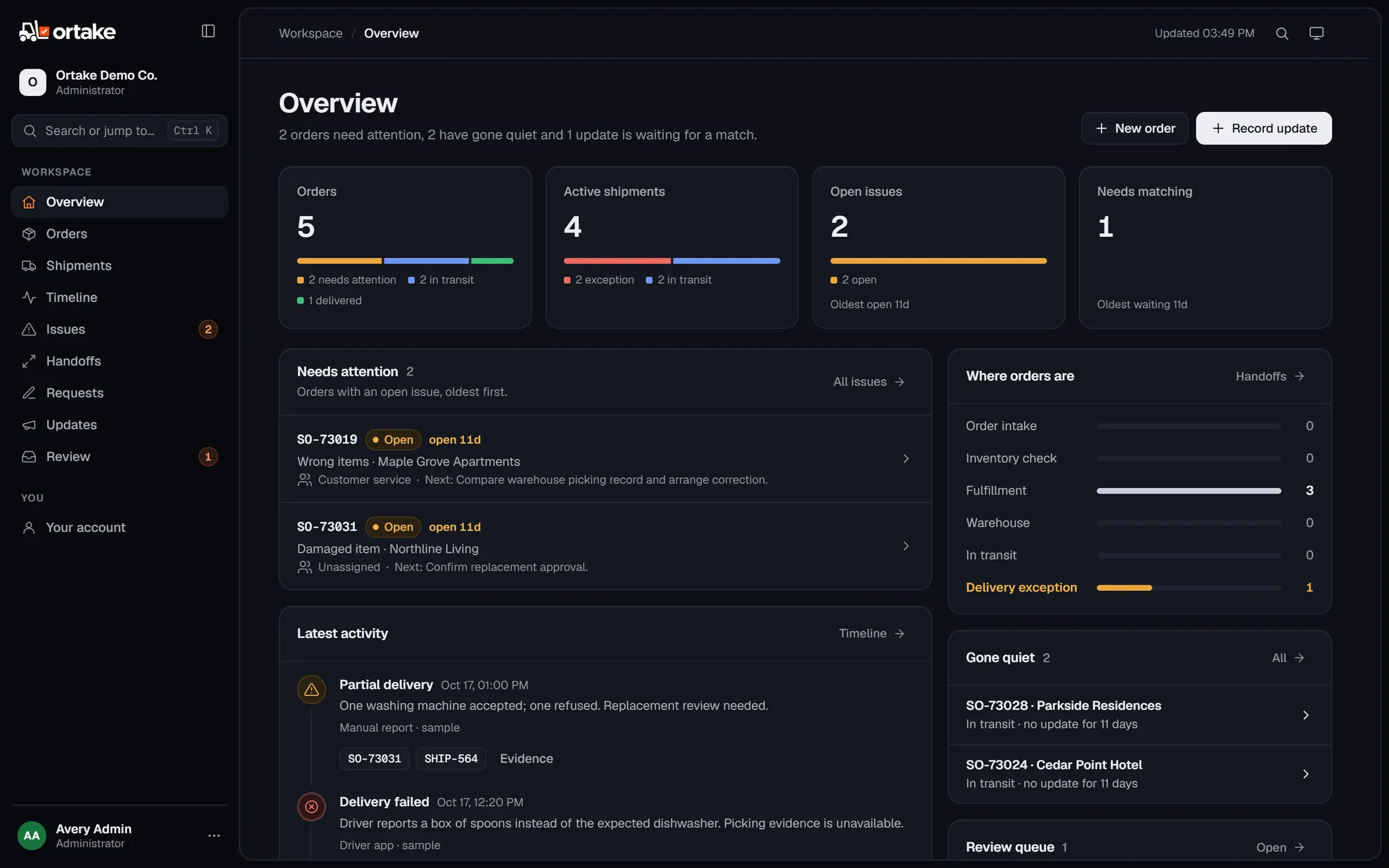
The order said dishwasher. The box held spoons.
One order from the demo, as Ortake recorded its day. Customer service owned the problem before the customer wrote in.
- Order confirmedOrder API
2 × DW-240 dishwashers
- In transitDEPARTED_DC
SHIP-552 with one of them
- Delivery failedDriver app
SHIP-551 refused: spoons in the box
- Issue openedOrtake
ISS-101, owned by Customer service
- Customer emailsEmail
Customer service already has it
23 minbetween Ortake opening the issue and the customer’s email
How it works
Ortake sits next to the systems you already run. It doesn’t replace any of them.
-
It keeps every update as it arrived.
Each message lands on its order as one of a few milestones, with the original attached.
Source As received Recorded as Order API Order accepted: 2 units DW-240Order confirmed Carrier webhook DEPARTED_DCIn transit EDI 214 Shipment in transitIn transit Driver app Customer refused incorrect itemDelivery failed Manual report One accepted, one damaged and refusedPartial delivery Carrier API DELIVEREDDelivered -
When it isn’t sure, it asks a person.
An update with no order reference waits until someone confirms where it belongs.
Review queue1 waitingEmailCould not unload at Cedar. Gate locked.No order or shipment number supplied.
Waiting→
SO-73024Cedar Point Hotel, once a person confirms it -
Every problem gets an owner.
A failed delivery opens an issue that can’t close without an outcome. Orders that go quiet for 48 hours turn up too.
ISS-101Wrong itemsOpen- Order
SO-73019·SHIP-551- Owner
- Customer service
- Next step
- Compare warehouse picking record and arrange correction.
- To close
- Record the outcome
Gone quiet
SO-73028Parkside Residences, in transit with no update for over 48 hours
Everyone works from the same record.
Operations, the warehouse, drivers, customer service and the customer all look at the same order. What each of them can see and change depends on their role, and the server enforces it.
In the demo you can be operations, a driver, customer service, sales or the customer. A driver only sees the shipments assigned to them, and sales can ask for a change but can’t make it.


Each customer gets their own instance.
No shared database. Your instance holds your records and only talks to the email, SMS and webhook endpoints you connect.
server-sidePermissions
Checked on every action, not by hiding buttons.
hash-chainedHistory
Append-only, so an edit or a deletion shows.
2-stepSign-in
Required for administrators by default.
AES-256-GCMSecrets
Hashed or sealed, and never shown again.
time-limitedOur support
Only with access you grant, and you can revoke it.
opt-inAI
Read-only, and its answers aren’t stored.
JSONLeaving
Every record exports, the history as a spreadsheet.
- Ask for the security overview
The pilot
Read-only and on one lane, so nobody changes how they work while you find out whether it’s useful.
- Week 1Connect one source
API, EDI or a CSV
- Week 2Go live on one lane
One customer or one carrier
- Weeks 3–4Review it together
What Ortake flagged, against what your customers actually told you
- ThenKeep, widen or leave
Every record exports as JSON
Common questions
Anything else, write to hello@ortake.com.
Does Ortake replace our WMS, TMS or order system?
No. It reads from them. A manual report never overwrites a shipment status that came from your source system, and an approved change request doesn’t edit the original order.
How does data get in?
Your systems send orders, shipments and events to your instance’s API, or you import a CSV. Webhooks send changes back out to the tools you already use.
What happens when an update can’t be matched?
It waits in a review queue with the original message attached. A person either confirms which order and shipment it belongs to, or dismisses it with a reason that stays in the history.
What do customers see?
Delivery progress, what they ordered and the updates your team chooses to publish. Internal notes, issues and the original messages never reach them.
Bring us a delivery that went wrong.
In thirty minutes we’ll walk through where Ortake would have caught it, or tell you plainly that it wouldn’t have.